Click the 👍 Like Button, 🤡 Leave a Comment, ❤️ Subscribe
👉 Support The Channel 👈
❤️ Patreon: https://www.patreon.com/temporarilyoffline
📺 Youtube Memberships: https://www.youtube.com/temporarilyoffline/join
💸 Tip Jar: https://paypal.me/temporarilyoffline
🧰 Gear I Use: https://kit.co/TemporarilyOffline
🛒 Amazon Link: https://www.amazon.com/shop/temporarilyoffline
📻 $15 off at Radioddity: http://radioddity.refr.cc/temporarilyoffline
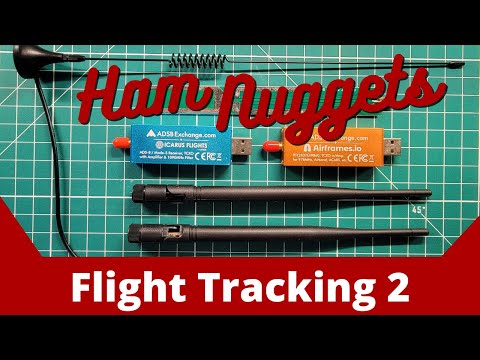
In the last episode, we built a Coaxial Co-linear Antenna and then used wildly inappropriate gear to see if it worked (it didn’t – the test gear, that is). This time we have some real antennas… and still some not appropriate test gear. But that’s how these things go.
Click the 👍 Like Button, 🤡 Leave a Comment, ❤️ Subscribe
👉 Support The Channel 👈
❤️ Patreon: https://www.patreon.com/temporarilyoffline
📺 Youtube Memberships: https://www.youtube.com/temporarilyoffline/join
💸 Tip Jar: https://paypal.me/temporarilyoffline
👕 Merch: https://shop.spreadshirt.com/temporarilyoffline/
🧰 Gear I Use: https://kit.co/TemporarilyOffline
🛒 Amazon Link: https://www.amazon.com/shop/temporarilyoffline
📻 $15 off at Radioddity: http://radioddity.refr.cc/temporarilyoffline
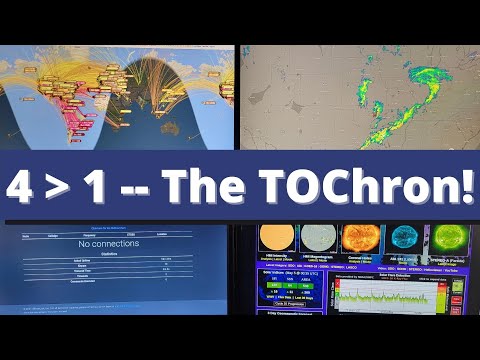
This is the one where I show the build of the TOChron – if one large screen is good, aren’t 4 small screens better?
Here are the parts needed to make this work.
👉 4 Cheap/Old Screens: https://amzn.to/3kKfUhL
👉 4-way Monitor Arm: https://amzn.to/3w55sqt
👉 VESA Adapter if you have a screen that is "extra" standard: https://amzn.to/3894jpV
👉 Heavy Duty Tripod: https://amzn.to/3w50I41
Here are all the dashboards I mentioned:
👉 FT8Off: http://ft8off.com – (when it gets resurrected)
👉 APRS Based 2m propogation: http://aprs.mennolink.org/
👉 Windy: https://windy.com
👉 Solarham: https://solarham.com
👉 PSKReporter: https://pskreporter.info
👉 Allstar: https://www.allstarlink.org/ (Find your favorite node)
👉 PiStar: http://pi-star.local/
👉 HamClock: https://www.youtube.com/watch?v=ySWbH_btzig
👉 Parks On The Air: https://pota.app
👉 APRS Tracking: https://aprs.fi
👉 DXCluster: https://dxheat.com/dxc
Click the 👍 Like Button, 🤡 Leave a Comment, ❤️ Subscribe
👉 Support The Channel 👈
❤️ Patreon: https://www.patreon.com/temporarilyoffline
📺 Youtube Memberships: https://www.youtube.com/temporarilyoffline/join
💸 Tip Jar: https://paypal.me/temporarilyoffline
👕 Merch: https://shop.spreadshirt.com/temporarilyoffline/
🧰 Gear I Use: https://kit.co/TemporarilyOffline
🛒 Amazon Link: https://www.amazon.com/shop/temporarilyoffline
📻 $15 off at Radioddity: http://radioddity.refr.cc/temporarilyoffline
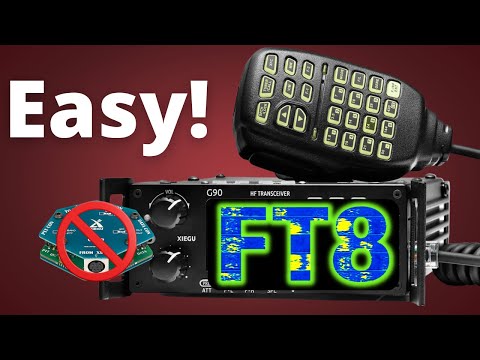
The G90 has always been a pain to use with digital modes, now with this cable its super easy to get on FT8 (and any other digital sound card mode). This cable will work with Windows, Mac, Linux, Android – I show you how to setup Linux, but the concepts apply to all operating systems.
🛒 Right Angle Audio Plug: https://amzn.to/3wCSl0W
🛒 G90 Audio Cable: https://ebay.us/ixNlrB
🛒 Sabrent Sound Card: https://amzn.to/3AsOAvT
👉 Find your Grid Square: https://www.whatsmylocator.co.uk
👉 Check Your Time: https://time.is
🛒 Cool Your G90: http://radioddity.refr.cc/temporarilyoffline (Search for G90-H1, Get Discount)
Factory Reset- Not required, but proving a point here
Hold down FUNC and Power on
Confirm with PRE key
Pre/ATT off
Press CMP – widen BW to 3k
NB Off
AGC Off
Func-On
F-L – Spin VFO to fully open the filter
F-H – Spin VFO to fully open the filter
POW – Set Mic Gain to 10
POW Button – Set Input to Line
Func – Long Press
VM Button (Next) until you see Aux In, Set to 8, Press CMP (Save)
Func – Long Press
VM Button (Next) until you see Aux Out, Set to 15, Press CMP (Save)
Click the 👍 Like Button, 🤡 Leave a Comment, ❤️ Subscribe
👉 Support The Channel 👈
❤️ Patreon: https://www.patreon.com/temporarilyoffline
📺 Youtube Memberships: https://www.youtube.com/temporarilyoffline/join
💸 Tip Jar: https://paypal.me/temporarilyoffline
👕 Merch: https://shop.spreadshirt.com/temporarilyoffline/
🧰 Gear I Use: https://kit.co/TemporarilyOffline
🛒 Amazon Link: https://www.amazon.com/shop/temporarilyoffline
📻 $15 off at Radioddity: http://radioddity.refr.cc/temporarilyoffline
Today we are starting the journey of ADSB – or airplane beacon listening. When we get to the end of this, we’ll have a completely working flight tracking system that will allow us to see what is in the skies above us!
Today I’m joined by @LifeAtTerminalVelocity and @FEPLabs Radio
Click the 👍 Like Button, 🤡 Leave a Comment, ❤️ Subscribe
👉 Support The Channel 👈
❤️ Patreon: https://www.patreon.com/temporarilyoffline
📺 Youtube Memberships: https://www.youtube.com/temporarilyoffline/join
💸 Tip Jar: https://paypal.me/temporarilyoffline
👕 Merch: https://shop.spreadshirt.com/temporarilyoffline/
🧰 Gear I Use: https://kit.co/TemporarilyOffline
🛒 Amazon Link: https://www.amazon.com/shop/temporarilyoffline
📻 $15 off at Radioddity: http://radioddity.refr.cc/temporarilyoffline
A big thanks to the Huntsville Amateur Radio Club for having a fully stocked and usable test bench. Couldn’t have done it without them: https://harc.net/
Click the 👍 Like Button, 🤡 Leave a Comment, ❤️ Subscribe
👉 Support The Channel 👈
❤️ Patreon: https://www.patreon.com/temporarilyoffline
📺 Youtube Memberships: https://www.youtube.com/temporarilyoffline/join
💸 Tip Jar: https://paypal.me/temporarilyoffline
👕 Merch: https://shop.spreadshirt.com/temporarilyoffline/
🧰 Gear I Use: https://kit.co/TemporarilyOffline
🛒 Amazon Link: https://www.amazon.com/shop/temporarilyoffline
📻 $15 off at Radioddity: http://radioddity.refr.cc/temporarilyoffline