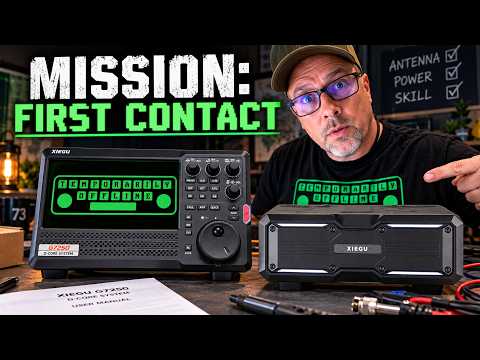
The Xiegu G7250 is finally here. In this first-look video, I unbox the new Xiegu G7250, walk through the controls, menus, display, operating modes, and overall first impressions before putting it on the air. This is not a full review yet, just a hands-on look at what comes in the box and what the radio is actually like to use.
📻 Use Code TO15 for $15 off at Radioddity: https://go.temporarilyoffline.com/4s9z39
👉 10:00 AM EDT — Early Access Opens (for sign up list)
👉 1:00 PM EDT — Public Launch
❤️ Get My Free Newsletter: https://temporarilyoffline.com/pages/newsletter-signup
After getting familiar with the G7250, I connect it to the antenna and see what it can do on HF under less-than-ideal band conditions. Despite a rough day on the bands, the radio manages a solid first contact, giving us an early look at its receive audio, transmit performance, tuning behavior, and real-world usability.
There is plenty more to test on the Xiegu G7250, including output power, receiver performance, digital modes, CW, filtering, firmware, heat, spectral purity, and long-term reliability. If there is something specific you want to see tested, leave it in the comments and I’ll add it to the list for the full review. #Xiegu #G7250 #HamRadio
🚐 If you like RV Videos, Check out my RV Channel: https://www.youtube.com/@livingforalivingRV
Click the 👍 Like Button, 🤡 Leave a Comment, ❤️ Subscribe
👉 Support The Channel 👈
❤️ Patreon: https://www.patreon.com/temporarilyoffline
📺 Youtube Memberships: https://www.youtube.com/temporarilyoffline/join
💸 Tip Jar: https://paypal.me/temporarilyoffline
🛒 Amazon Link: https://www.amazon.com/shop/temporarilyoffline
📻 Use Code TO15 for $15 off at Radioddity: https://www.radioddity.com/?ref=bpajyqft
🖍️ How I make my Thumbnails: https://partner.canva.com/c/3622632/647168/10068
👉 Fun Stuff 👈
🫵 We want YOU on TOADs Discord: https://discord.gg/97tkMEc
🕊️ Twitter: https://twitter.com/KiloMike9Golf
😸 Github: https://github.com/TemporarilyOffline
Where possible, all links are affiliate links, this youtube thing is an expensive endeavor and every little bit helps.
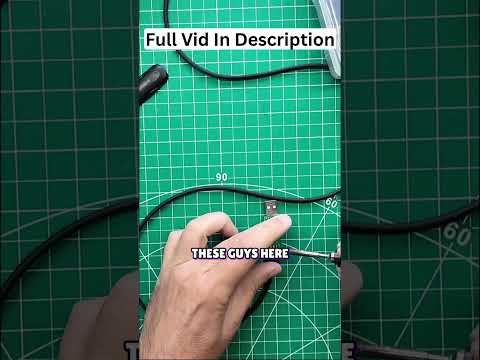
DIY USB Cable Repair: Save Money, Fix It Yourself! #shorts
Is it cheaper to fix a cable or buy a new one? This DIY repair explores connecting RX and TX pins for a custom programming cable, but the cost might surprise you.
👉 Watch the full video: https://youtu.be/iaywQIC0yzQ
Radio Programming Cable Fix: Chirp Error Troubleshooting Guide #shorts
Troubleshooting radio communication issues: Is it a bad programming cable or a software glitch? The saga of a non-responsive radio and the hunt for the elusive Chirp bug.
👉 Watch the full video: https://youtu.be/iaywQIC0yzQ
📻 Use Code TO15 for $15 off at Radioddity: https://go.temporarilyoffline.com/4s9z39
❤️ Get My Free Newsletter: https://temporarilyoffline.com/pages/newsletter-signup
🚐 If you like RV Videos, Check out my RV Channel: https://www.youtube.com/@livingforalivingRV
Click the 👍 Like Button, 🤡 Leave a Comment, ❤️ Subscribe
👉 Support The Channel 👈
❤️ Patreon: https://www.patreon.com/temporarilyoffline
📺 Youtube Memberships: https://www.youtube.com/temporarilyoffline/join
💸 Tip Jar: https://paypal.me/temporarilyoffline
🛒 Amazon Link: https://www.amazon.com/shop/temporarilyoffline
📻 Use Code TO15 for $15 off at Radioddity: https://www.radioddity.com/?ref=bpajyqft
🖍️ How I make my Thumbnails: https://partner.canva.com/c/3622632/647168/10068
👉 Fun Stuff 👈
🫵 We want YOU on TOADs Discord: https://discord.gg/97tkMEc
🕊️ Twitter: https://twitter.com/KiloMike9Golf
😸 Github: https://github.com/TemporarilyOffline
Where possible, all links are affiliate links, this youtube thing is an expensive endeavor and every little bit helps.
Hidden Bluetooth Mic Storage Hack Revealed! #shorts
Effortlessly store your Bluetooth mic, cables, and antenna within this compact case. It fits perfectly sideways or top-to-bottom, keeping everything organized and protected.
👉 Full Video: https://youtu.be/JEOcCumdCFI
Gear Used In This Video:
👉 FlashForge Creator 5: https://flashforge.sjv.io/qWZZZO
👉 FlashForge Creator 5 Pro: https://flashforge.sjv.io/aNAdAj
👉 Flashforge High Speed PETG Filament: https://flashforge.sjv.io/gRggav
👉 FlashForge High Speed PETG Filament (Amazon): https://go.temporarilyoffline.com/g9twbz
👉 Dabbsson Power Station: https://go.temporarilyoffline.com/670am2
👉 Calipers: https://go.temporarilyoffline.com/eiib9b
The Go Box:
👉 Zombie Ammo Can: https://go.temporarilyoffline.com/2nyud5
👉 Bioenno 12ah battery: https://chameleonantenna.com/products/blf-1212as-kit-10-hours-on-hf-ssb-at-20-tx-and-80-rx?bg_ref=fD7LlhdOTV
👉 Vero VR-N7600 Radio: https://go.temporarilyoffline.com/1isn15
💸 Use Discount Code ‘steve’ to save an additional $10.00
👉 Vero Mic: https://go.temporarilyoffline.com/tckncj
💸 Use Discount Code ‘steve’ to save an additional $10.00
👉 ZK-4KX Buck Boost Controller: https://go.temporarilyoffline.com/gcyi8d
👉 On/Off Switch: https://go.temporarilyoffline.com/i20csd
👉 USB Port: https://go.temporarilyoffline.com/s5bw12
👉 PowerPoles: https://go.temporarilyoffline.com/ffqy3j
👉 Panel Pole Holder: https://www.thingiverse.com/thing:3726066
👉 SO-239 Bulkhead Fitting: https://go.temporarilyoffline.com/be30xy
#MicStorage #TechOrganization #BluetoothMic #AccessoryCase
Finished a DIY project! Features an on/off switch and an antenna connector. Ready for the big reveal!
👉 Full Video: https://youtu.be/JEOcCumdCFI
Gear Used In This Video:
👉 FlashForge Creator 5: https://flashforge.sjv.io/qWZZZO
👉 FlashForge Creator 5 Pro: https://flashforge.sjv.io/aNAdAj
👉 Flashforge High Speed PETG Filament: https://flashforge.sjv.io/gRggav
👉 FlashForge High Speed PETG Filament (Amazon): https://go.temporarilyoffline.com/g9twbz
👉 Dabbsson Power Station: https://go.temporarilyoffline.com/670am2
👉 Calipers: https://go.temporarilyoffline.com/eiib9b
The Go Box:
👉 Zombie Ammo Can: https://go.temporarilyoffline.com/2nyud5
👉 Bioenno 12ah battery: https://chameleonantenna.com/products/blf-1212as-kit-10-hours-on-hf-ssb-at-20-tx-and-80-rx?bg_ref=fD7LlhdOTV
👉 Vero VR-N7600 Radio: https://go.temporarilyoffline.com/1isn15
💸 Use Discount Code ‘steve’ to save an additional $10.00
👉 Vero Mic: https://go.temporarilyoffline.com/tckncj
💸 Use Discount Code ‘steve’ to save an additional $10.00
👉 ZK-4KX Buck Boost Controller: https://go.temporarilyoffline.com/gcyi8d
👉 On/Off Switch: https://go.temporarilyoffline.com/i20csd
👉 USB Port: https://go.temporarilyoffline.com/s5bw12
👉 PowerPoles: https://go.temporarilyoffline.com/ffqy3j
👉 Panel Pole Holder: https://www.thingiverse.com/thing:3726066
👉 SO-239 Bulkhead Fitting: https://go.temporarilyoffline.com/be30xy
Why This FRS Radio Makes More Sense Than a Ham Radio in an Emergency
The Radioddity HD-2 is a rugged, waterproof FRS radio built for people who need simple communication without licenses, programming headaches, or a pile of accessories. In this video I take a look at the features, controls, VOX operation, weather-resistant design, and the things that make this radio interesting for camping, hiking, boating, family communication, and emergency preparedness.
FRS radios are easy to underestimate because they are simple, but that simplicity can be exactly what makes them useful when something goes wrong. A radio that is charged, waterproof, easy for anyone to operate, and ready to hand to a family member may be far more valuable in an emergency than a more complicated radio nobody knows how to use. This is a look at where the HD-2 fits, what it does well, and whether a rugged FRS radio belongs in your emergency kit.
❤️ Get My Free Newsletter: https://temporarilyoffline.com/pages/newsletter-signup
🚐 If you like RV Videos, Check out my RV Channel: https://www.youtube.com/@livingforalivingRV
Click the 👍 Like Button, 🤡 Leave a Comment, ❤️ Subscribe
👉 Support The Channel 👈
❤️ Patreon: https://www.patreon.com/temporarilyoffline
📺 Youtube Memberships: https://www.youtube.com/temporarilyoffline/join
💸 Tip Jar: https://paypal.me/temporarilyoffline
🛒 Amazon Link: https://www.amazon.com/shop/temporarilyoffline
📻 Use Code TO15 for $15 off at Radioddity: https://www.radioddity.com/?ref=bpajyqft
🖍️ How I make my Thumbnails: https://partner.canva.com/c/3622632/647168/10068
👉 Fun Stuff 👈
🫵 We want YOU on TOADs Discord: https://discord.gg/97tkMEc
🕊️ Twitter: https://twitter.com/KiloMike9Golf
😸 Github: https://github.com/TemporarilyOffline
Where possible, all links are affiliate links, this youtube thing is an expensive endeavor and every little bit helps.