Software Locks & Legal Dangers of GMRS Radio Frequencies! #shorts
Hardware capabilities often exceed legal broadcast limits. While your radio might cover wider frequencies, software locks exist to ensure compliance with type acceptance standards. Know the regulations before you modify your transmission settings.
👉 Full Video: https://youtu.be/5FWZ1L3b5wY
Today’s Patient:
👉 My list of refurbed rigs: https://temporarilyoffline.com/blogs/tos-blog/revolving-list-of-for-sale-items
👉 Or Get One New: https://go.temporarilyoffline.com/im1jzs
The Baofeng SW-9 isn’t your typical UV-5R replacement. This 10-watt tri-band amateur radio offers 2-meter, 1.25-meter (220 MHz), and 70-centimeter transmission, plus HF shortwave reception with USB/LSB single-sideband (SSB), AM aviation airband, and NOAA weather reception. It features two SMA antenna ports, Bluetooth audio and wireless PTT support, Bluetooth smartphone programming through the Ola Radio app, a 2-inch color display, 1,000 memory channels, a 2,500 mAh battery, and USB-C charging. But do all these features make the SW-9 a worthwhile upgrade over the classic Baofeng UV-5R?
Baofeng SW-9 Links:
👉 $15 off at Radioddity w/Code TO15: https://go.temporarilyoffline.com/qa7tmr
👉 Black at Amazon: https://go.temporarilyoffline.com/qpjik6
👉 Orange at Amazon: https://go.temporarilyoffline.com/ovegl4
👉 Prison Edition at Amazon: https://go.temporarilyoffline.com/hiutmg
👉 Real 220mhz antenna: https://go.temporarilyoffline.com/mm5m4a
Radioddity $15 off w/Code TO15:
👉 Baofeng SW-9: https://go.temporarilyoffline.com/qa7tmr
👉 Bluetooth PTT: https://go.temporarilyoffline.com/hg5snm
👉 Surecom SW-102: https://go.temporarilyoffline.com/2coopi
In this video, we put the Baofeng SW-9 through real-world testing, including RF output power measurements and spectrum analyzer tests for harmonics and spurious emissions on 2 meters, 220 MHz, and 70 centimeters. We also explore its HF SSB receiver, BFO tuning, Bluetooth functionality, and unusual dual-antenna arrangement. Can this inexpensive handheld deliver useful HF reception and legitimate 220 MHz performance without sacrificing transmitter spectral purity? Join Temporarily Offline (KM9G) as we separate the manufacturer’s specifications from actual performance and find out whether the SW-9 deserves a place in your radio collection.
❤️ Get My Free Newsletter: https://temporarilyoffline.com/pages/newsletter-signup
🚐 If you like RV Videos, Check out my RV Channel: https://www.youtube.com/@livingforalivingRV
🚀 Buying Starlink? Get $100 CASH! Use my referral link and we BOTH get $100, paid directly to our bank accounts (or applied as service credit). Terms apply: https://go.temporarilyoffline.com/5gbxnk
Click the 👍 Like Button, 🤡 Leave a Comment, ❤️ Subscribe
👉 Support The Channel 👈
❤️ Patreon: https://www.patreon.com/temporarilyoffline
📺 Youtube Memberships: https://www.youtube.com/temporarilyoffline/join
💸 Tip Jar: https://paypal.me/temporarilyoffline
🛒 Amazon Link: https://www.amazon.com/shop/temporarilyoffline
📻 Use Code TO15 for $15 off at Radioddity: https://www.radioddity.com/?ref=bpajyqft
🖍️ How I make my Thumbnails: https://partner.canva.com/c/3622632/647168/10068
👉 Fun Stuff 👈
🫵 We want YOU on TOADs Discord: https://discord.gg/97tkMEc
🕊️ Twitter: https://twitter.com/KiloMike9Golf
😸 Github: https://github.com/TemporarilyOffline
Where possible, all links are affiliate links, this youtube thing is an expensive endeavor and every little bit helps.
Broken Knob, Bad Parenting, or Return Scam? Unpacking the Mystery! #shorts
Evidence points to a classic return scam: a broken radio swapped for a new one. The clues left in the packaging—missing accessories and clear physical damage—reveal how dishonest buyers manipulate return policies.
👉 Full Video: https://youtu.be/5FWZ1L3b5wY
Today’s Patient:
👉 My list of refurbed rigs: https://temporarilyoffline.com/blogs/tos-blog/revolving-list-of-for-sale-items
👉 Or Get One New: https://go.temporarilyoffline.com/im1jzs
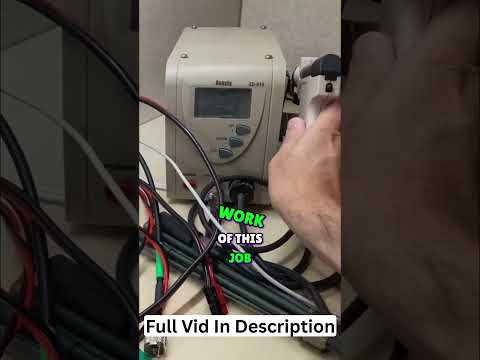
Desoldering Pump: Your All-In-One Electronics Repair Tool! #shorts
Simplify component removal with the Anesty ZD-915. This all-in-one vacuum pump and soldering iron heats up quickly to make desoldering jobs fast and efficient. See how to streamline your electronics repair workflow.
👉 Full Video: https://youtu.be/5FWZ1L3b5wY
Today’s Patient:
👉 My list of refurbed rigs: https://temporarilyoffline.com/blogs/tos-blog/revolving-list-of-for-sale-items
👉 Or Get One New: https://go.temporarilyoffline.com/im1jzs
Heltec T096 vs V4: Which Mesh Node Should You Buy?
The Heltec V4 and Heltec T096 can be configured as nearly identical complete Meshtastic nodes, but under the hood they’re very different devices. In this comparison I look at the ESP32-S3-based Heltec V4 and the nRF52840-based Heltec T096, including LoRa performance, GPS/GNSS, Wi-Fi, Bluetooth, displays, battery efficiency, expansion options, and overall day-to-day use.
Both of my MakerNova Pocket Pro SMA units have GPS, 2000 mAh batteries, external antennas, and the same $94.99 price, so the decision really comes down to what you want to do with them. The T096 is the battery-sipping tracker, with an efficient nRF52840 and integrated dual-band GNSS. The V4 is the hacker-friendly platform, with 2.4 GHz Wi-Fi, an ESP32-S3, expansion options, and support for experimental firmware such as Bruce.
If you’re trying to decide Heltec T096 vs Heltec V4 for Meshtastic, this video should help you pick the right one for portable tracking, everyday mesh use, wardriving experiments, firmware hacking, or your next off-grid communications project.
❤️ Get My Free Newsletter: https://temporarilyoffline.com/pages/newsletter-signup
🚐 If you like RV Videos, Check out my RV Channel: https://www.youtube.com/@livingforalivingRV
Click the 👍 Like Button, 🤡 Leave a Comment, ❤️ Subscribe
👉 Support The Channel 👈
❤️ Patreon: https://www.patreon.com/temporarilyoffline
📺 Youtube Memberships: https://www.youtube.com/temporarilyoffline/join
💸 Tip Jar: https://paypal.me/temporarilyoffline
🛒 Amazon Link: https://www.amazon.com/shop/temporarilyoffline
📻 Use Code TO15 for $15 off at Radioddity: https://www.radioddity.com/?ref=bpajyqft
🖍️ How I make my Thumbnails: https://partner.canva.com/c/3622632/647168/10068
👉 Fun Stuff 👈
🫵 We want YOU on TOADs Discord: https://discord.gg/97tkMEc
🕊️ Twitter: https://twitter.com/KiloMike9Golf
😸 Github: https://github.com/TemporarilyOffline
Where possible, all links are affiliate links, this youtube thing is an expensive endeavor and every little bit helps.
Radio Test: Power, Frequency, and Transmission Explained! #shorts
Determining exact power output on a Retevis radio device. Watch the meter test transmission frequencies and confirm 41.2 watts output in real-time.
👉 Full Video: https://youtu.be/5FWZ1L3b5wY
Today’s Patient:
👉 My list of refurbed rigs: https://temporarilyoffline.com/blogs/tos-blog/revolving-list-of-for-sale-items
👉 Or Get One New: https://go.temporarilyoffline.com/im1jzs
Fixing Radio Glitches: Chirp Software Secrets Revealed! #shorts
Connecting the Retevis RA87 to Chirp for software programming. Unexpected red channel errors signal a potential glitch, prompting a factory reset to restore normal operation. A technical troubleshooting look at radio configuration.
👉 Full Video: https://youtu.be/5FWZ1L3b5wY
Today’s Patient:
👉 My list of refurbed rigs: https://temporarilyoffline.com/blogs/tos-blog/revolving-list-of-for-sale-items
👉 Or Get One New: https://go.temporarilyoffline.com/im1jzs
I Didn't Like Xiegu's SDR Software, So I Made My Own!
The Xiegu G7250 supports Ethernet SDR connectivity, but its reliance on the aging HDSDR software left some amateur radio operators disappointed. Instead of complaining about Xiegu’s software choices, I decided to see what I could build myself. Using Linux, Python, and a little reverse engineering, I created a browser-based SDR interface that communicates directly with the G7250 over Ethernet, without needing HDSDR or its proprietary Windows DLL.
👉 Get your Xiegu G7250 with $15 off at Radioddidty: https://go.temporarilyoffline.com/4s9z39
Use Code "TO15"
🚀 Buying Starlink? Get $100 CASH! Use my referral link and we BOTH get $100, paid directly to our bank accounts (or applied as service credit). Terms apply: https://go.temporarilyoffline.com/5gbxnk
In this video, I’ll demonstrate how the G7250 Ethernet protocol works, how we built a Python web server with a documented REST API, and how we turned raw IQ data into a working 48 kHz spectrum analyzer and waterfall display. We can even tune the receiver directly from a web browser! It’s an experimental proof of concept, not a complete replacement for HDSDR, but it demonstrates what’s possible when amateur radio meets open development. The hardware already has capabilities worth exploring, and this is just the beginning.
❤️ Get My Free Newsletter: https://temporarilyoffline.com/pages/newsletter-signup
🚐 If you like RV Videos, Check out my RV Channel: https://www.youtube.com/@livingforalivingRV
🚀 Buying Starlink? Get $100 CASH! Use my referral link and we BOTH get $100, paid directly to our bank accounts (or applied as service credit). Terms apply: https://go.temporarilyoffline.com/5gbxnk
Click the 👍 Like Button, 🤡 Leave a Comment, ❤️ Subscribe
👉 Support The Channel 👈
❤️ Patreon: https://www.patreon.com/temporarilyoffline
📺 Youtube Memberships: https://www.youtube.com/temporarilyoffline/join
💸 Tip Jar: https://paypal.me/temporarilyoffline
🛒 Amazon Link: https://www.amazon.com/shop/temporarilyoffline
📻 Use Code TO15 for $15 off at Radioddity: https://www.radioddity.com/?ref=bpajyqft
🖍️ How I make my Thumbnails: https://partner.canva.com/c/3622632/647168/10068
👉 Fun Stuff 👈
🫵 We want YOU on TOADs Discord: https://discord.gg/97tkMEc
🕊️ Twitter: https://twitter.com/KiloMike9Golf
😸 Github: https://github.com/TemporarilyOffline
Where possible, all links are affiliate links, this youtube thing is an expensive endeavor and every little bit helps.
I just sold another Retevis RT95, which means it is time to pull another Amazon return radio out of the box, test it, program it, clean it up, and get it ready for the next ham radio operator who wants a discounted dual band mobile rig before they disappear.
This is RT95 #27 in the Amazon return radio series. These are radios that were returned by previous buyers for unknown reasons, and my job is to figure out whether they actually have a problem, are missing accessories, need basic setup, or are perfectly usable radios that just need to be tested and put back into service.
The Retevis RT95 is a compact dual band VHF/UHF mobile radio that can be used for local repeaters, simplex, mobile installs, base station use, go boxes, RV radio setups, emergency communications, and general amateur radio operation on 2 meters and 70 centimeters.
Need a small dual band antenna to go with one of these radios? I also sometimes have 2m/70cm mag mount antennas with coax available, depending on inventory.
Subscribe for more ham radio testing, repairs, non-repairs, Amazon return radios, budget radio gear, RV radio projects, portable operating, digital modes, antennas, and practical amateur radio experiments from the road.
❤️ Get My Free Newsletter: https://temporarilyoffline.com/pages/newsletter-signup
🚐 If you like RV Videos, Check out my RV Channel: https://www.youtube.com/@livingforalivingRV
Click the 👍 Like Button, 🤡 Leave a Comment, ❤️ Subscribe
👉 Support The Channel 👈
❤️ Patreon: https://www.patreon.com/temporarilyoffline
📺 Youtube Memberships: https://www.youtube.com/temporarilyoffline/join
💸 Tip Jar: https://paypal.me/temporarilyoffline
🛒 Amazon Link: https://www.amazon.com/shop/temporarilyoffline
📻 Use Code TO15 for $15 off at Radioddity: https://www.radioddity.com/?ref=bpajyqft
🖍️ How I make my Thumbnails: https://partner.canva.com/c/3622632/647168/10068
👉 Fun Stuff 👈
🫵 We want YOU on TOADs Discord: https://discord.gg/97tkMEc
🕊️ Twitter: https://twitter.com/KiloMike9Golf
😸 Github: https://github.com/TemporarilyOffline
Where possible, all links are affiliate links, this youtube thing is an expensive endeavor and every little bit helps.